Dermi Atlas 26.4.1 Release Notes
Dermi Atlas 26.4.1 introduces overlay curtains, a practice time zone, and redesigned patient cards in Dermi Atlas Professional, with safer updates and verified restores in Dermi Atlas Manager.
November 10, 20265 min read
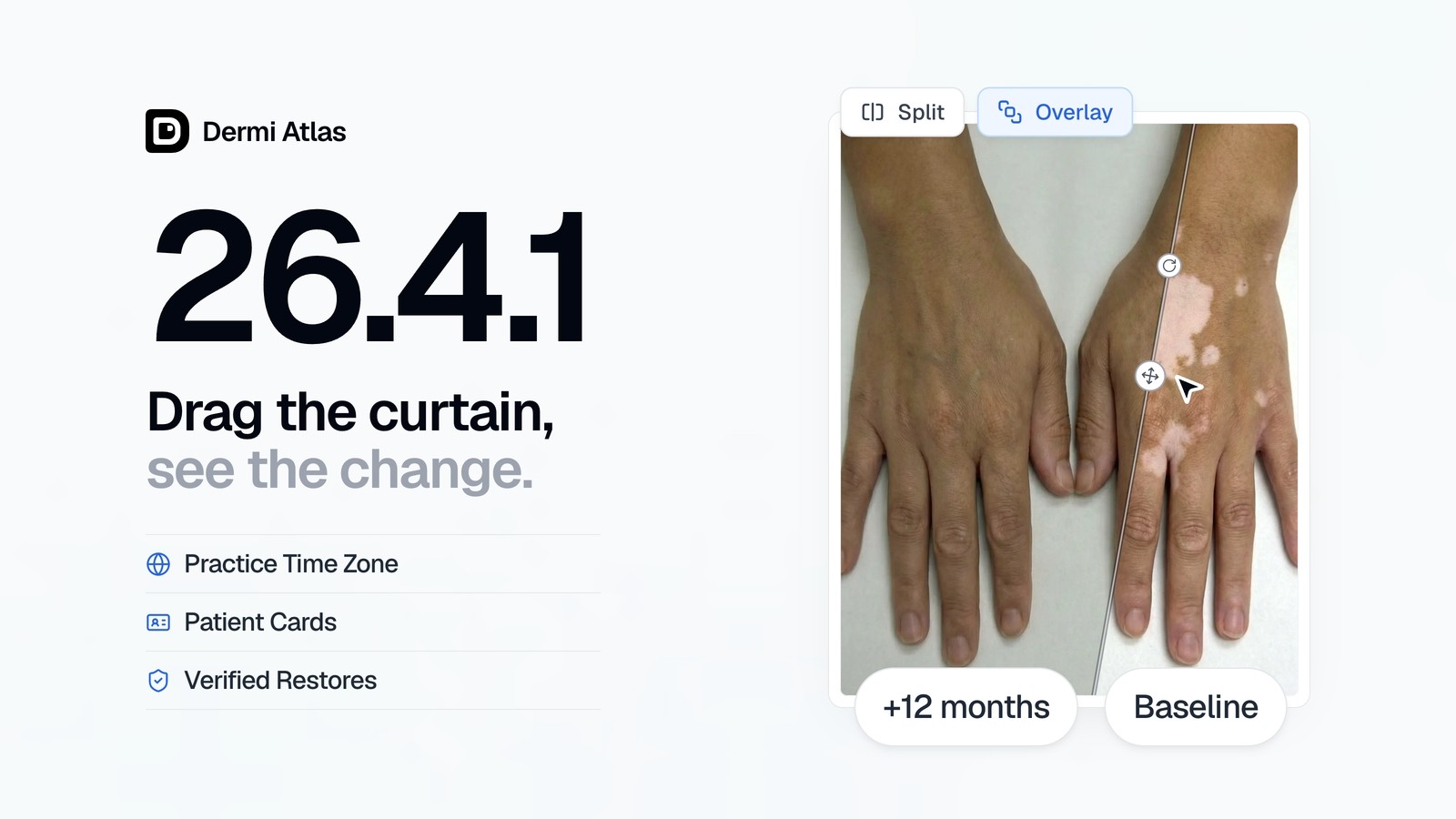
Dermi Atlas version 26.4.1 is now available, bringing curtains on overlay comparisons, a practice time zone, and redesigned patient cards to Dermi Atlas Professional, along with safer updates and verified restores in Dermi Atlas Manager.
Illustrative demo with synthetic data. Learn more
Dermi Atlas Professional
Overlay Curtains
Each layer of an overlay comparison can now carry a curtain. The Show Curtain toggle on a layer card in the Layers panel cuts the layer along a straight edge, so two visits meet along a line, and curtains on several layers lay a series of visits side by side across the same skin.
On the canvas, the edge is dragged across the image, turned with its rotation handle, and carried by its pivot to the area under review. Curtains are saved with the comparison.
Illustrative demo with synthetic data. Learn more
Quick Export and Custom Export keep the curtains as arranged. In Custom Export, the Curtains section exports the layers cut or whole, with or without edge lines.
Illustrative demo with synthetic data. Learn more
Practice Time Zone
Dates and times throughout Dermi Atlas Professional, including exports, PDF reports, and activity logs, now follow one time zone for the practice rather than the clock of each device. The zone is set on the Time Zone card in Atlas Manager Administration, either Automatic, which follows the host computer, or a zone chosen from the list. When a device's clock is set to another zone, the sidebar names the zone in use, such as "Times in EDT".
Illustrative demo with synthetic data. Learn more
Patient Cards
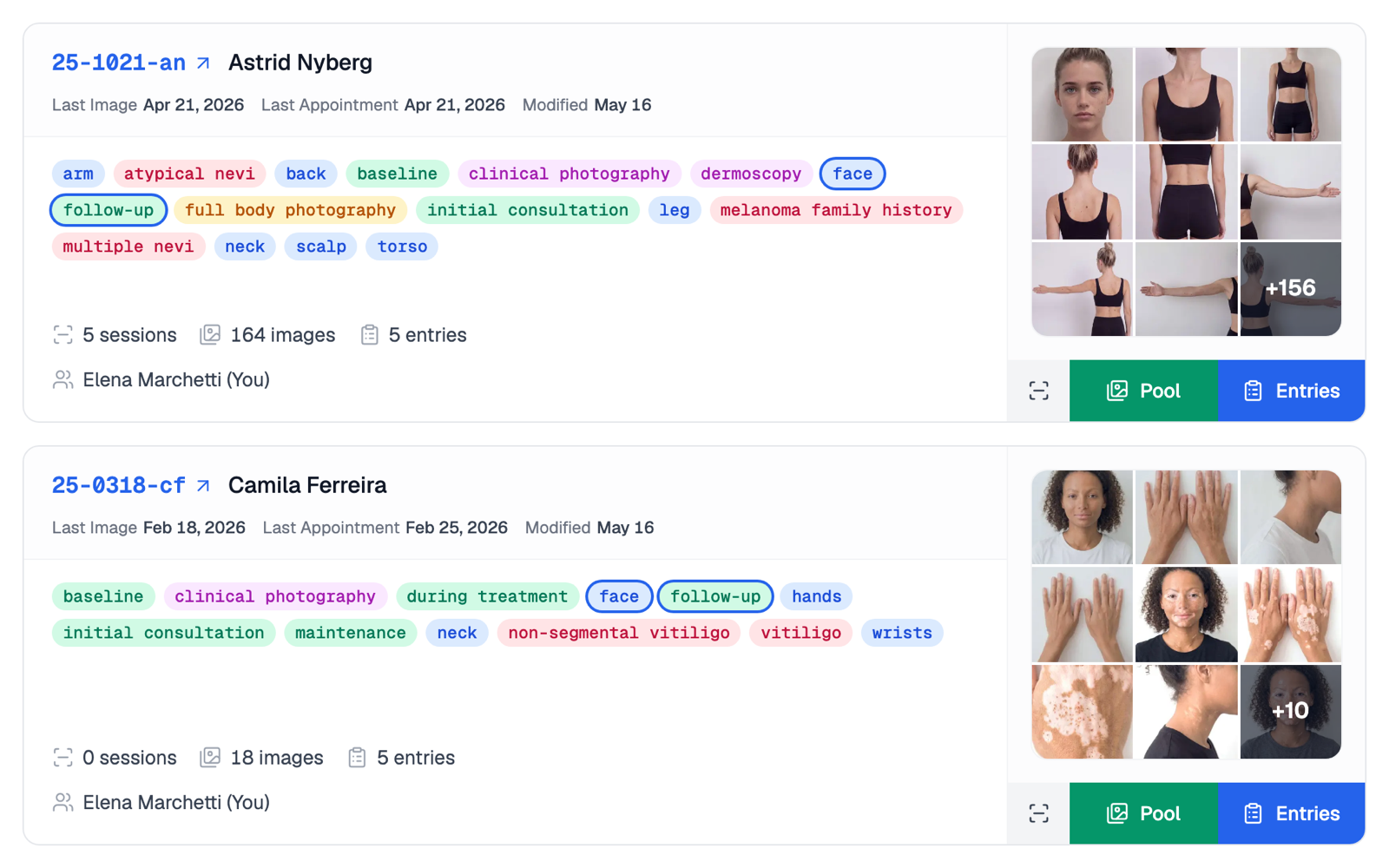
Patient cards have been redesigned, and entry cards follow the same layout. The new Last Image sort orders patients by the date of their latest image.
Illustrative demo with synthetic data. Learn more
Filter by Tags leads with the most used tags, and matching tags are highlighted on each card. The search and filters are kept across a reload and when returning from a patient, and search ignores accents in names.
Comparison Properties and PDF Reports
The Comparison Properties drawer of each comparison holds its caption, an effective date, and Delete Comparison, which asks for confirmation. Comparisons are ordered by effective date in the entry and in PDF reports, and the PDF Export Options drawer adds One image per page.
Deleted Records
Deleted Records, on its page and in each patient's drawer, now lists deleted items as rows. Selecting a row opens a single confirmation that states the date until which the item can be recovered.
Illustrative demo with synthetic data. Learn more
Atlas Companion
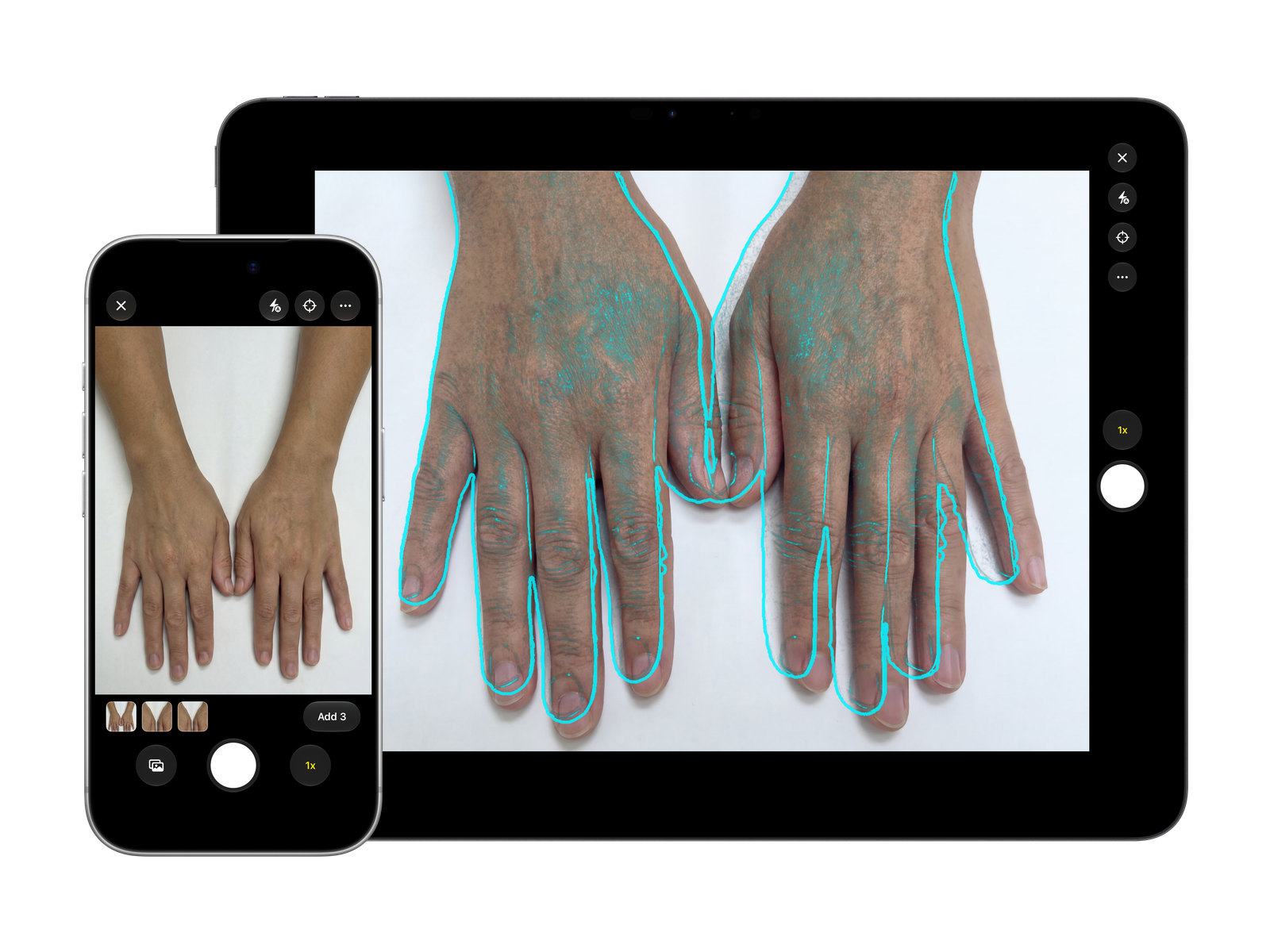
Add Images in the Image Pool, the full body capture tray, and a pose's Upload open the Dermi Atlas Companion camera, where up to 20 photos are taken or chosen from the device and added together. The camera needs the latest version of Dermi Atlas Companion, now available on the App Store for iPhone and iPad.
Illustrative demo with synthetic data. Learn more
Performance and Stability
Canvas image filters and their strength slider respond faster, and Custom Export adds an Image Filter section, which sets a filter for the export without changing the canvas. Clear Annotations now asks for confirmation, and pins, text, and shapes are placed only on the photograph. Full body coverage counts photographed poses, with skipped poses counted separately.
A link to each patient, entry, Image Pool, and Full Body Photography page can now be copied from its More Options menu, and a link opened while signed out leads to its page after sign-in. Real-time collaboration is more reliable when colleagues edit the same record at once, and general bug fixes and security patches have been applied across Dermi Atlas Professional.
Dermi Atlas Manager
Safer Updates
Before an update changes anything, Dermi Atlas Manager now checks that the installation is ready for it, and a failed update names the next step. When an update did not finish, Finish Atlas Update on the Atlas Status page returns Atlas to its previous version so the update can be run again, as described in Troubleshooting System Update Issues.
Verified Restores
Every restore now verifies the backup before data is replaced, and Atlas installed with the Restore Backup option keeps the Administration settings it was backed up with. The Backup and Restore card now shows Free Space.
Atlas Status Page and Network Access
Atlas Control on the Atlas Status page now shows Uptime, Atlas Version, and Docker Version, and the License Status card moves to the top when the license needs attention. Other devices and Dermi Atlas Companion now keep reaching Atlas when the host computer runs a VPN. License key entry and the installer's requirements list have been simplified, and general bug fixes and security patches have been applied across Dermi Atlas Manager as well.
Availability
Dermi Atlas 26.4.1 is available now and requires Docker Engine 29.0.0 or later, as listed in System Requirements, and Troubleshooting Docker and System Requirements covers upgrading an older version. Dermi Atlas Manager is updated to 26.4.1 first, from the Atlas Status page on macOS and Windows or from the Dermi Portal on Linux, and Atlas is then updated from the Atlas Status page.
Was this article helpful?
Your feedback helps improve these articles
Related
 ProductOct 02, 2026
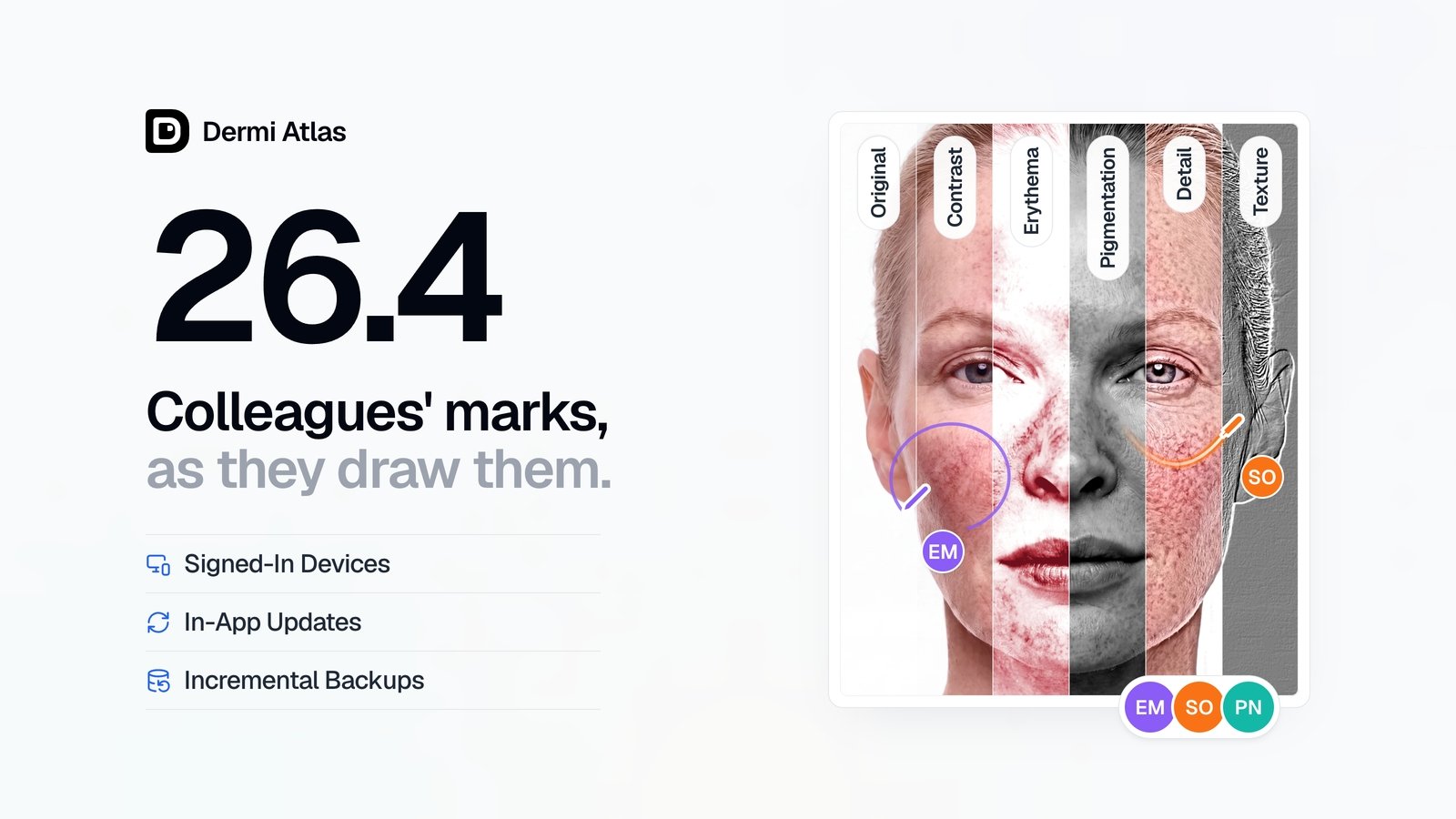
Dermi Atlas 26.4 Release Notes
Dermi Atlas 26.4 introduces real-time collaboration, image filters, and Signed-In Devices in Dermi Atlas Professional, with in-app updates and incremental backups in Dermi Atlas Manager.
 ProductSep 09, 2026
Team Accounts for Dermi Atlas Professional
Dermi Atlas Professional brings one shared patient record to the whole practice, with a login for every person and Clinician and Assistant accounts invited from the Dermi Portal.
 ProductJul 27, 2026
Dermi Atlas 26.3 Release Notes
Dermi Atlas 26.3 introduces persistent annotations, Full Body Photography, Zones, enhanced real-time sync, and Custom Export in Dermi Atlas Professional.
Read more from the newsroom
Synthetic Data Notice
All demonstrations, screenshots, and media on this page use synthetic data only. No real patient information is shown.
The following are synthetic and do not correspond to real patients:
- All human faces and individuals are synthetic and do not represent real people
- All clinical and medical images, including photographs and scans, are synthetic or simulated
- All patient names, dates, identifiers, and other details are fictional
- All clinical notes and documentation are sample content for demonstration only
Media is provided solely to illustrate platform functionality and workflows.