Dermi
Photos stay in your practice

Clinical photography
under your control.

30-day free trial · From $79 USD per month · Setup done for you

Purpose-built for med spas, aesthetic clinics, plastic surgery, and dermatology practices. Capture, organize, and compare patient photographs on the computers you already own, from $79 USD per month. Every photo stays in your practice.

  • 01Local-first storage
  • 02Compliance-ready
  • 03Works offline
Dermi Atlas
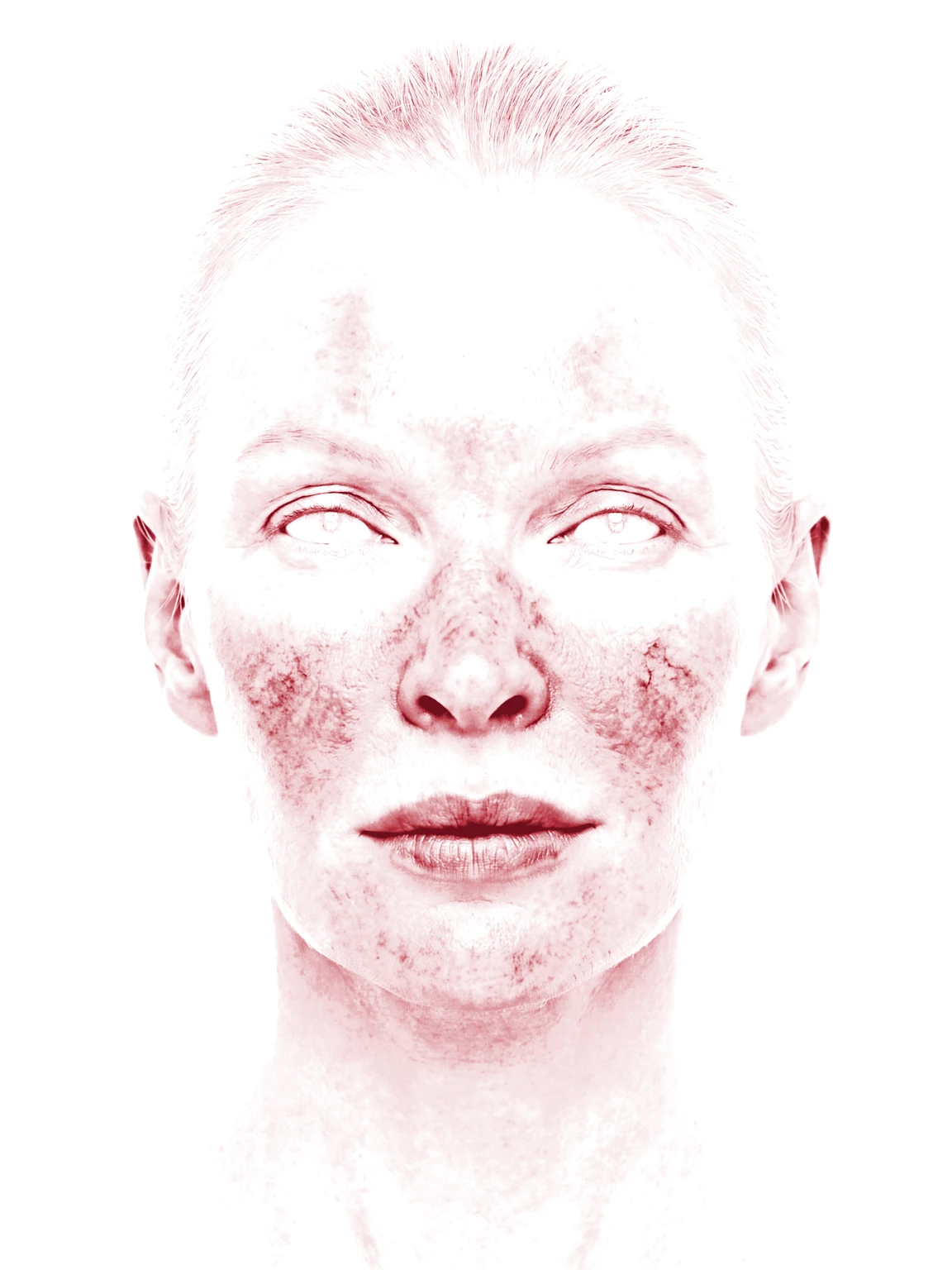
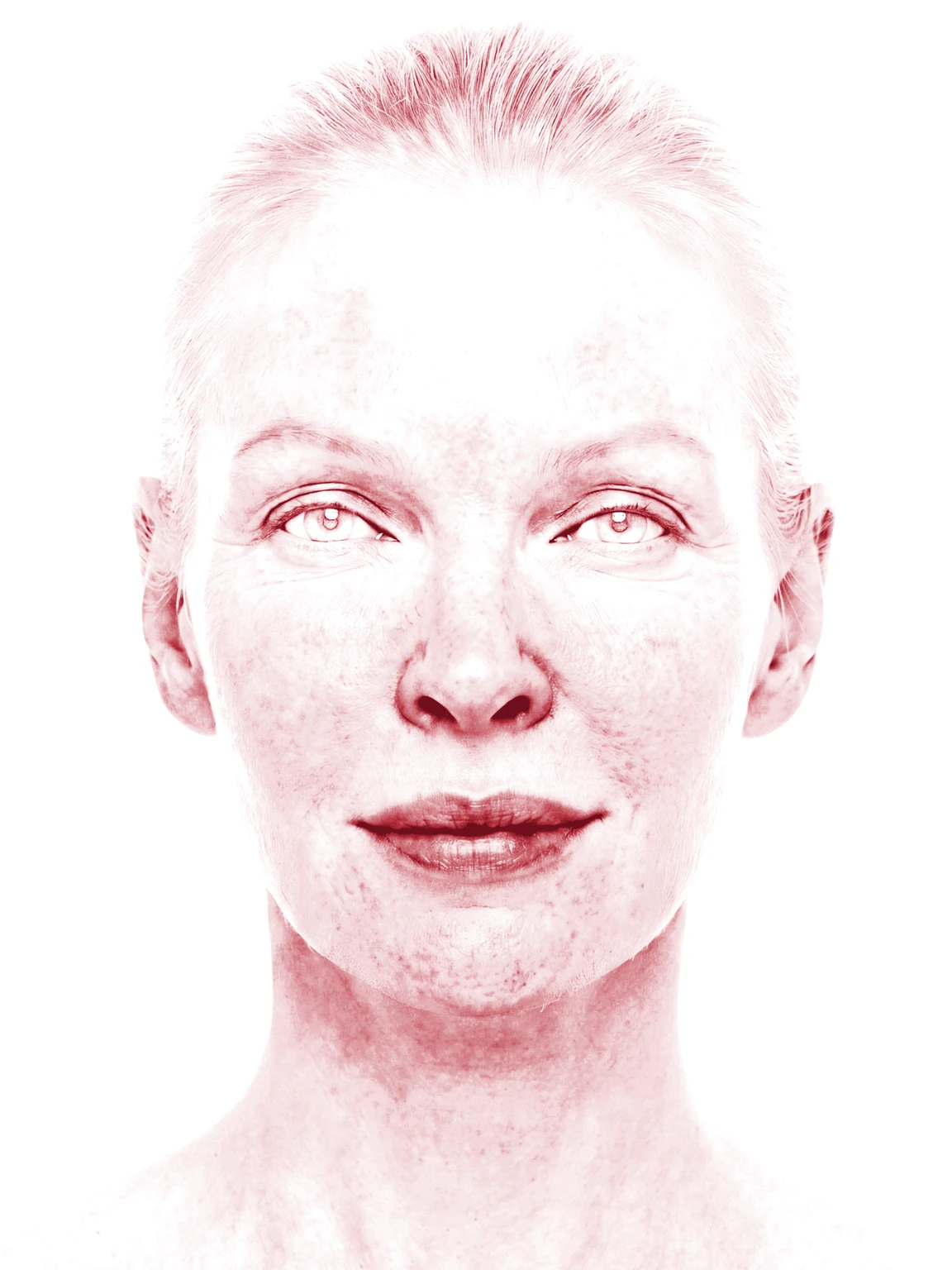
Before and after comparisons

Before and after comparisons

Align timepoints with one click, then study them with synced pan and zoom.

Illustrative demo with synthetic data. Learn more

  • Lesion documentation
  • Before and after comparisons
  • Automatic alignment
  • Overlay views
  • Persistent annotations
  • Clinical tagging
  • Audit logging
  • PDF reports
  • Custom Export
  • Offline operation
  • iPhone and iPad capture
  • Live multi-device sync
  • Runs on your computers
  • Consent management
  • Two-factor authentication
01Comparisons and alignment

Comparisons that align themselves

Split, overlay, and multi-scale views register in one click through Atlas Vision, so anatomy lines up across visits and treatment outcomes are easy to show during consultations.

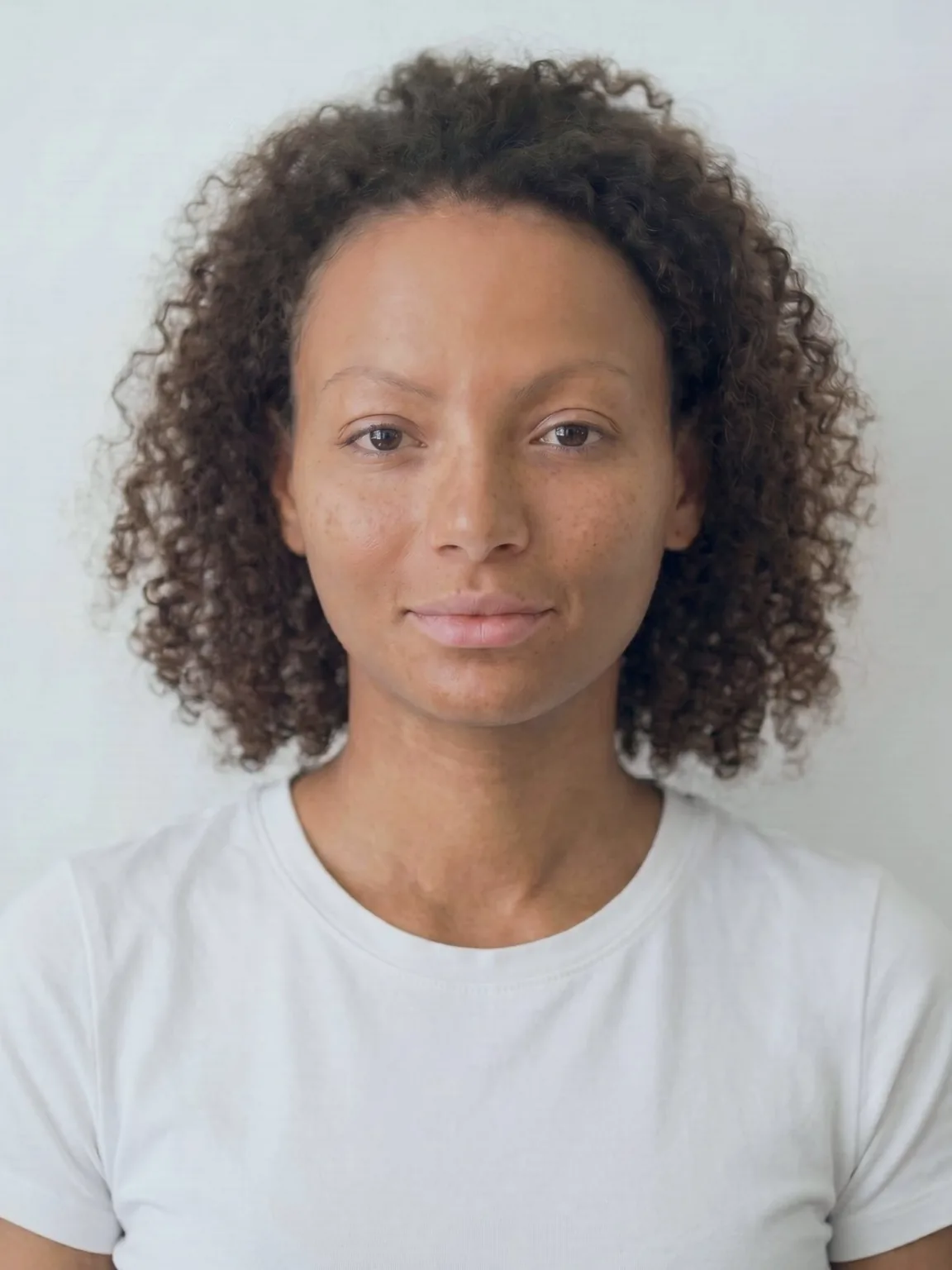
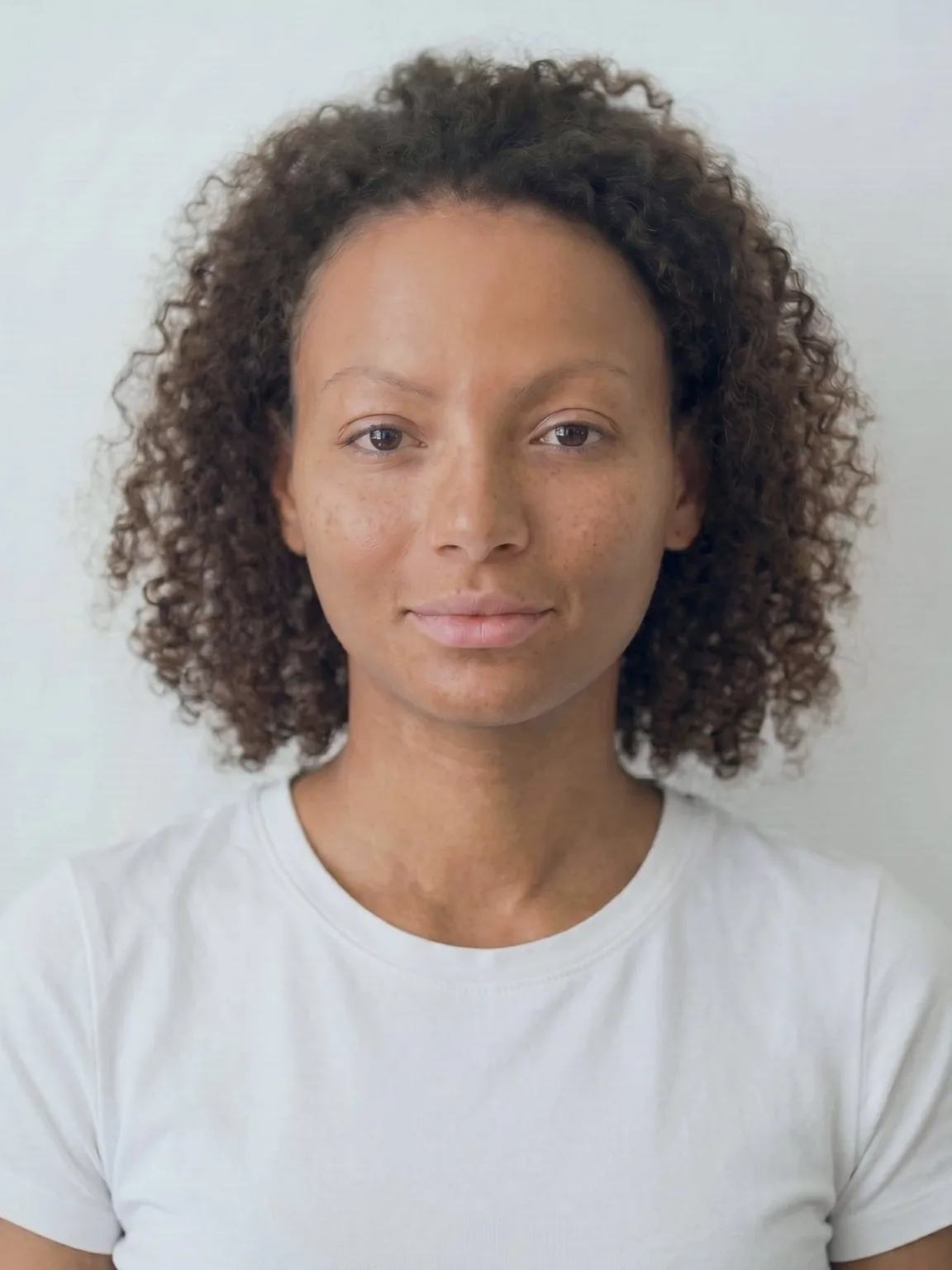
One-click alignment

One-click alignment

Misregistered overlay layers snap into alignment from shared anatomy.

Illustrative demo with synthetic data. Learn more

01

One-click precision

Press align and images register automatically from their shared anatomical features, in one step.

02

Split and overlay modes

Side-by-side layouts and opacity blending, with automatic alignment available in both.

03

Across magnifications

Wide-angle overviews and macro close-ups register to a single frame, preserving detail at every zoom level.

04

Processed locally

All alignment computation runs on-premises through Atlas Vision. Patient images never leave the network.

A new way to compare clinical images

Automatic alignment is available in Dermi Atlas Professional for all split and overlay comparisons

02The platform

Professional imaging that stays in your control

Professional imaging that runs in your practice, designed for privacy, security, and seamless workflows.

Patient records

Browse patients with thumbnail previews, tag indicators, visit history, and quick access to image pools and entries.

Image pool

View pool statistics, recent uploads, and image thumbnails organized by date with tag and entry associations.

Tag management

Define and organize clinical tag categories with color-coded labels for consistent image classification across the practice.

Patient creation

Create detailed patient records with configurable fields for identification, contact information, and clinical metadata.

Create from search

Instantly create new patient records directly from the search bar when no matching records are found.

Search & filters

Search, sort, and filter patient records by tags, date ranges, and attributes with real-time result counts.

Consent verification

Obtain and verify patient consent through digital signatures or external methods before clinical imaging begins.

Activity logs

Track all user actions with timestamped activity logs for auditing, compliance, and operational visibility.

Data sovereignty

Complete data sovereignty

  • On-premises, on computers you already own

    Atlas runs on your existing servers or workstations

  • Full HTTPS and WSS encryption

    Secure all traffic with self-signed certificates

  • Local network access only

    Accessible only within your local network

  • All processing happens locally

    Patient data never leaves your network

  • Managed through Atlas Manager

    Desktop app for setup, certificates, backups, and monitoring

  • Captured with Atlas Companion

    Free iOS app sends photos straight to your server over the local network

Zero external dependencies for daily operations

Simple clinical workflow

From capture to collaboration in three steps

01

Upload & organize

Capture aligned follow-ups with the free Atlas Companion app on iPhone and iPad, or upload clinical images directly into Atlas. Tag by condition, body location, and treatment phase for instant retrieval.

02

Compare & analyze

Create side-by-side comparisons with automatic alignment, precision positioning, and opacity controls. Track treatment progress over multiple visits.

03

Document & export

Add clinical notes, generate PDF reports for patients or referrals, and maintain comprehensive documentation. All changes save automatically within your secure network.

Built for clinical excellence

Purpose-built features designed for med spas, aesthetic clinics, plastic surgery, and dermatology practices

Advanced image organization

Tag by condition and body location, create chronological groups, and build multi-image comparisons with automatic alignment and intuitive positioning tools.

Team accounts

Work from one shared patient record for the whole practice, with a login for each person and comprehensive audit logging.

Clinical workflow integration

Browser-based interface accessible across your network fits seamlessly into your existing practice workflows.

Complete system backups

On-demand backup and disaster recovery through Atlas Manager ensures your patient data is always protected and recoverable.

Ready to see it in action?

Explore core features instantly with our free cloud demo, or run Atlas Professional in your practice with a 30-day free trial. Setup is done for you at no charge.

Atlas Manager

Managed through Atlas Manager

A desktop application that handles deployment, certificates, backups, and system monitoring

Health monitoring

Monitor the health, uptime, and version of your Atlas installation at a glance.

Certificate management

Generate, download, and rotate self-signed certificates for HTTPS and WSS encryption across the network.

Verification links

Access account verification and password reset links directly for deployments without outbound email connectivity.

03Compared with alternatives

Everyday photo tasks, with and without Dermi Atlas

Phone albums and EMRs

  • Storage

    Photos on personal phones and shared drives

  • Organization

    Folders sorted and searched by hand

  • Comparisons

    Before and after sets arranged in documents

  • Consent

    Consent forms filed away from the camera

  • Exports

    Screenshots cropped by hand for consults and posts

Dermi Atlas

  • Storage

    Every photo on the patient record, kept in the practice

  • Organization

    Visits grouped by date, with tags the practice defines

  • Comparisons

    Split and overlay views that line up automatically

  • Consent

    Consent signed on the record, enforced as the practice sets

  • Exports

    Exports with framing, date labels, and the practice logo

04On your terms

Clinical imaging built on your terms

Select a benefit to explore the details that matter to your practice.

Your data stays yours

All patient photographs and records remain on your local server or private infrastructure. No sensitive data flows to external services during daily operations.

Key features
Local Storage Only
Patient data never leaves your infrastructure
No Cloud Dependencies
Daily operations require no external services
Complete Control
You manage access, backups, and retention policies
Full Visibility
Know exactly where your data resides at all times

Built for healthcare, designed for privacy. Every architectural decision prioritizes patient privacy, data security, and regulatory compliance.

05Patient records

Every patient, one organized record

A visit-by-visit photographic history for every patient, with search and filters that cover the entire patient library.

01

Found in seconds

Search by name, unique ID, or clinical term, and filter by tags, attributes, and dates across the whole roster.

02

Chronological by default

Photographs group into dated visits automatically, so every record reads as a timeline without manual filing.

03

Tagging that scales

Condition, body location, and treatment phase tags apply to patients and individual images, in categories the practice defines.

04

Entries carry the context

Each visit entry holds curated photographs, comparisons, and clinical notes in one place.

Organized by visit

Organized by visit

The same dated visit history, as a dense list or visual review cards.

Illustrative demo with synthetic data. Learn more

Learn how patient records work

Read the documentation for a detailed overview of patient management, search, and organization

View Documentation
06Annotation and live sync

Mark it up. Every screen keeps up

Persistent annotations and live multi-device sync keep every device on the practice network looking at the same record, from a consult markup on the tablet to a documentation pass at the front desk.

Markup on the image

Markup on the image

Arrows, shapes, labels, and freehand strokes drawn directly on the photograph.

Illustrative demo with synthetic data. Learn more

01

Durable markup

Arrows, shapes, freehand strokes, text labels, and pins drawn straight onto the photograph. Markup stays anchored through zoom, pan, and alignment, and the clinical original is never altered.

02

Synced as you draw

Annotations are saved with each image and reach every open device in real time, so the record reads the same wherever it is opened.

03

Live co-editing

The same entry can be edited on more than one device at once, and team-wide presence shows, by name, who already has it open elsewhere.

04

Seamless handoff

Jump straight to a session already open on another device and continue the review where it stands, on the current record.

07Atlas Companion

Capture on iPhone and iPad

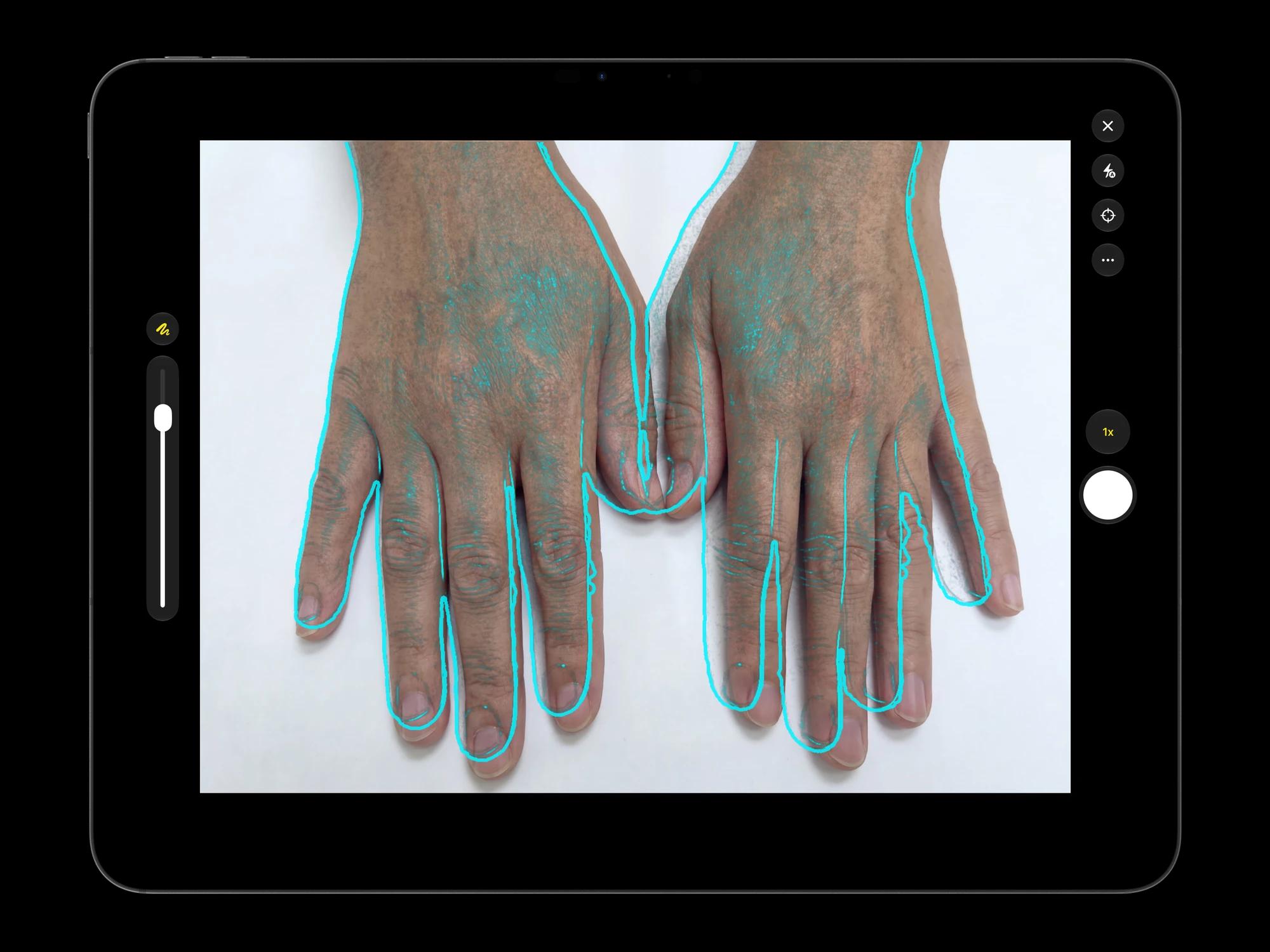
The free Atlas Companion app adds native, reference-aligned camera capture on the devices a team already uses, and sends each photograph straight to the patient record on your own server.

01

Reference-aligned capture

A live overlay of the prior photograph guides each follow-up into matching framing, so treatment progress is easy to follow visit by visit.

02

Straight to your server

Captured photographs are sent to the patient record on your own server over the local network, never to a third-party cloud or the device camera roll.

03

Native on iPhone and iPad

Capture with the native camera and continue in the full Atlas workspace on the same device, using hardware staff already carry.

Atlas Companion camera capture on iPad, with a live reference-alignment overlay guiding a follow-up photograph

Illustrative demo with synthetic data. Learn more

08Team accounts

One record for the whole practice

Every patient record on a Dermi Atlas Professional deployment belongs to the team, and each person signs in as themselves.

Invite from the portal

Invite from the portal

The owner enters an email address and an Account Type on the license card.

Illustrative demo with synthetic data. Learn more

01

Shared by the whole team

Every team member sees every team patient. One library holds every photograph, and a colleague's capture is in the record the moment it is filed.

02

Individual logins

Each person keeps their own username, password, and optional two-factor authentication, and every action is recorded under the account that performed it.

How a member joins
01

Invite from the Dermi Portal

The owner opens the license in the Dermi Portal, enters the email address, and picks the Account Type. A single-use claim code goes to the invitee.

02

Claim on the practice network

On the practice network, the invitee follows Claim invitation on the Atlas sign-in page, enters the code, and sets a username, name, and password.

03

Applied at the next check-in

The account lives on the practice network. Later membership changes reach it at the deployment's next check-in.

04

Seats per person

One Clinician and one Assistant account are included. Each further person is a seat, priced per person and adjusted from the plan card.

09Security and compliance

Trust through transparency

Built with security and compliance at the core. Your data protection is our foundation.

HIPAA Ready
PIPEDA Ready
Privacy Act Ready
Your Infrastructure
Local Network (LAN)
Atlas Server
Runs in the practice
Database
Clinical records storage
Object Storage
Images & files
Vision Service
Computer vision
TLS Encryption Layer
Self-signed certificates via Atlas Manager
Active
Clinical workstations
HTTPS / WSS
All patient data stays within your network
Initiated locally
Dermi Cloud
Minimal contact
License verification
Signed updates
No patient data stored
Your control
HTTPS / WSS encrypted
External services
01

Local data storage

Patient records never leave your infrastructure. All data remains on your servers under your direct control.

02

TLS encryption

Full HTTPS and WSS support, with self-signed certificates managed through Atlas Manager. Secure all traffic within your network.

03

Verified updates

All software updates and resources are cryptographically signed and verified before installation.

04

Two-factor authentication

Optional 2FA for user accounts adds an additional layer of protection with authenticator app support.

05

Backup & recovery

Complete system backups through Atlas Manager with cross-platform compatibility ensure data recoverability.

06

Atlas Manager oversight

Desktop application provides system monitoring, certificate management, backup controls, and verification link access.

Secure authentication

Username and password authentication with configurable session management for every account.

Two-factor verification

Optional 2FA with authenticator app support adds a second layer of protection to user accounts.

Consent management

Digital, verbal, and written consent methods are tracked and verified before any clinical capture begins.

Dive deeper into our security practices

Read our comprehensive security and compliance documentation

Security Documentation

Security is the foundation of everything we build.

10Who it serves

Designed for aesthetic and medical practices

From med spas and aesthetic clinics to plastic surgery and dermatology: imaging built to medical documentation standards for your practice.

Med Spas

Track client progress for aesthetic treatments, demonstrate value through visual documentation, and maintain professional standards. Built for owner-operated businesses: no new hardware, no IT staff, and imaging that holds to medical documentation standards.

Common use cases
Aesthetic treatment journey documentation
Client retention through progress visualization
In-consult before/after presentations that close consultations
Staff training with real case examples
Professional credibility and trust building
Why choose Atlas

Compliance-Ready

Architecture designed to support HIPAA, PIPEDA, and Australian Privacy Act requirements

Workflow Integration

Fits into the clinical processes and the schedule the practice already runs

Streamlined Documentation

Automatic organization and instant retrieval keep the library ready to search

Want to learn more about Atlas Professional?

Explore comprehensive features, deployment options, and technical specifications to see how Atlas fits your practice

11Get started

Try Dermi Atlas today

Start with Dermi Atlas Cloud for free, or run Dermi Atlas Professional in your practice from $79 USD per month with a Clinician and an Assistant account included, first 30 days free.

Try First
Free Access

Dermi Atlas Cloud Demo

Free
  • No time limit

Explore Dermi Atlas features in your browser with our hosted demo environment, signed in with a free Dermi account. Free forever, no commitment required.

  • Runs in the browser with a free Dermi account
  • Upload and test with your own sample data
  • Access core features and workflows
  • No credit card required
  • Not for real patient data
  • Data may be cleared periodically
Full Installation

Dermi Atlas Professional

from$79 USD/month
  • Base plan per deployment
  • First 30 days free
  • Cancel anytime
One Clinician and one Assistant account included
  • Additional clinician seat$59 USD / month
  • Additional assistant seat$12 USD / month

Runs on the computers your practice already has, with complete feature access, real patient data support, and dedicated technical support. Photos stay in your practice.

  • No new hardware: runs on your existing server or workstation
  • Use with real patient data securely
  • One shared patient record for the team, with a login for every person
  • Setup done for you at no charge, with technical support included
No credit card for demo
Self-service setup via Atlas Manager
Assisted setup included, free
You own your photos
Runs on computers you already own
Accepted payment methods:
AMEXDISCOVER

Need help choosing?

Learn more about Atlas Professional features, explore Atlas Manager for deployment and infrastructure management, or speak with our team about your practice needs

Purpose-built for med spas, aesthetic clinics, plastic surgery, and dermatology practices · HIPAA, PIPEDA & Australian Privacy Act compliance-ready architecture · Complete data sovereignty

Questions

Frequently asked questions

Everything you need to know about Dermi Atlas Professional. Need help finding an answer? Reach out to our support team.

All patient photographs and records remain on your local server or workstation. Dermi Atlas Professional operates entirely on your local network after initial setup, meaning no sensitive data flows to external services during daily operations. The system supports full HTTPS and secure WebSocket (WSS) connections with self-signed certificates managed through Atlas Manager, provides configurable audit logging, and supports two-factor authentication. The architecture is designed to support HIPAA, PIPEDA, and Australian Privacy Act requirements by keeping patient data under your direct control.

After initial setup and deployment via Dermi Atlas Manager, Dermi Atlas Professional operates entirely on your local network and does not require an internet connection for daily clinical operations. You can upload images, create patient records, and build comparisons completely offline. Internet connectivity is only needed for periodic license verification and optional software updates. This means your clinical workflow continues uninterrupted even during internet outages.

Dermi Atlas Cloud Demo is a hosted demonstration environment you can access instantly in your browser with no installation required. Simply create a free Dermi Cloud Services account using your email to get started. It includes nearly all features with some limitations on patient data inputs and audit logging. The 30-day free trial involves deploying Dermi Atlas Professional on your own infrastructure using Dermi Atlas Manager, giving you full access to all features with your actual patient data. The trial requires a credit card to set up the subscription through Stripe, which will begin billing after the trial period ends. Technical support and onboarding assistance are included with the trial.

Yes. Assisted setup is included at no charge with every Dermi Atlas Professional subscription. Our team confirms the details with you beforehand, then completes the deployment over a remote session, from installation through configuration, so most practices need no dedicated IT staff. The session runs on a computer that meets the published system requirements; if the machine you have in mind falls short, we will recommend one that runs Atlas well. Self-service setup through Dermi Atlas Manager remains available for practices that prefer to deploy on their own; the guided wizard handles dependency checks, certificates, and configuration step by step. The support page describes what assisted setup includes.

No. Dermi Atlas Professional runs on the computers your practice already has, a Windows, macOS, or Linux machine with at least 4 GB of RAM and 20 GB of storage. Photo capture uses the iPhone or iPad you already own through the free Dermi Atlas Companion app. There are no imaging booths, proprietary cameras, or capital equipment purchases.

Yes, Dermi Atlas Professional supports importing existing clinical photographs through the Image Pool. You can upload multiple images at once, and the system organizes them by patient and upload date with automatic chronological grouping. The import process maintains your original image quality. For larger transitions, our team can assist during onboarding with importing standard exports and organized image files, so your existing library moves over smoothly; exporting the images from your current system is handled by you or your current vendor.

Yes. The free Dermi Atlas Companion app for iPhone and iPad connects to your Dermi Atlas Professional server on the local network and provides native camera capture with reference alignment, so follow-up photographs match prior images. Captured photos are sent directly to the patient record on your own infrastructure, not to a third-party cloud and not to the device camera roll. The app is available on the App Store with no in-app purchases.

Yes. Every clinical record on a Dermi Atlas Professional deployment belongs to the practice's team, so every member works from the same shared patient record while keeping their own login, password, and optional two-factor authentication. Each action is recorded under the person who performed it, and that history stays with the team after a member leaves. There are two account types: Clinician, with full access including export, sharing, deletion, and recovery, and Assistant, for documentation and capture. Members are invited from the Dermi Portal, where the owner enters the email address and picks the account type; the invitee receives a single-use claim code and claims the invitation on the practice network to create their account. Every signed-in device stays in step in real time, and named sessions show who has an entry open elsewhere.

Dermi Atlas Professional starts at $79 USD per month per deployment, and the base plan includes one Clinician and one Assistant account. Each further person is a seat priced per named person: additional clinician seats are $59 USD per month and assistant seats are $12 USD per month. A seat is purchased at the moment an invitation or a promotion would exceed the included accounts, and purchased seats are adjusted from the plan card in the Dermi Portal. The 30-day free trial and cancel-anytime terms apply to the whole plan.

Your data always remains yours. Since all patient photographs and records are stored on your local infrastructure, you maintain complete control even if you stop using Dermi Atlas. You can export your data at any time in standard image formats and PDF reports using the built-in export tools, and our team can guide you through them if needed. Your patient data is never held on external servers or in proprietary formats.

Dermi Atlas Professional is designed to complement your existing EMR by providing specialized clinical imaging capabilities, not replace it. While Dermi Atlas does not have direct EMR integrations at this time, it excels as a dedicated imaging solution that operates alongside your practice management software. You can export patient Image Pools, individual Entries, or complete patient reports as formatted PDFs ready for printing or import into your EMR. Many practices use Dermi Atlas for comprehensive clinical photography and documentation while maintaining their standard EMR for appointments, billing, and general patient records.

All Dermi Atlas Professional subscriptions include email support from our team. Assisted setup is included at no charge and is confirmed with you beforehand, and during your free trial you have full access to technical support for installation, configuration, and onboarding. We also provide comprehensive documentation, video tutorials, and guides for common workflows.

Clinical photodocumentation software is a specialized tool designed for capturing, organizing, comparing, and archiving medical photographs in a clinical setting. Unlike general-purpose photo storage or EMR attachments, dedicated photodocumentation software provides standardized workflows for clinical photography, before/after comparisons with tools such as split and overlay views, patient-level image organization, and export capabilities for clinical reports. Dermi Atlas is a clinical photodocumentation platform purpose-built for med spas, aesthetic clinics, plastic surgery, and dermatology practices.

Dermi Atlas Professional is designed with a compliance-ready architecture that supports HIPAA, PIPEDA, and Australian Privacy Act requirements, including the Australian Privacy Principles (APPs). Patient data remains on your local infrastructure with no external data transmission during daily operations. The platform provides configurable audit logging, two-factor authentication, consent management, and encrypted connections via HTTPS and WSS with self-signed certificates. Because Dermi Atlas runs on your practice's own infrastructure, your organization maintains direct control over data access and storage. However, overall regulatory compliance depends on how the deployment is configured and managed, and it is the responsibility of each organization to ensure their specific setup meets applicable requirements in their jurisdiction.

Cloud medical imaging stores patient data on third-party servers managed by the software vendor, requiring a constant internet connection and ongoing trust in the provider's security practices. On-premises medical imaging, sometimes called self-hosted, runs entirely on your own infrastructure. Dermi Atlas Professional works this way: patient photographs and records never leave your network during normal operation. On-premises deployment offers direct control over data access, storage location, and retention policies, and continues operating during internet outages. It runs on the computers your practice already has, and initial setup is either done for you at no charge or self-served through Dermi Atlas Manager's guided installation.

Still have questions?

Our support team is here to help. Contact us and we will get back to you as soon as possible.

Synthetic Data Notice

All demonstrations, screenshots, and media on this page use synthetic data only. No real patient information is shown.

The following are synthetic and do not correspond to real patients:

  • All human faces and individuals are synthetic and do not represent real people
  • All clinical and medical images, including photographs and scans, are synthetic or simulated
  • All patient names, dates, identifiers, and other details are fictional
  • All clinical notes and documentation are sample content for demonstration only

Media is provided solely to illustrate platform functionality and workflows.