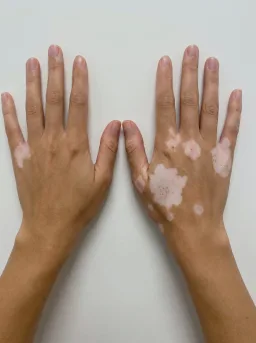
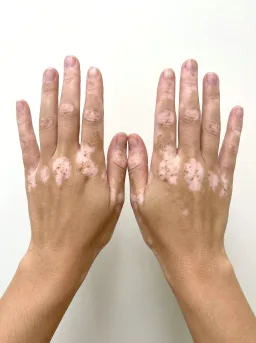
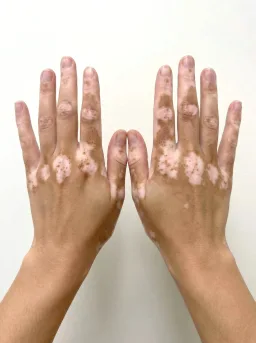
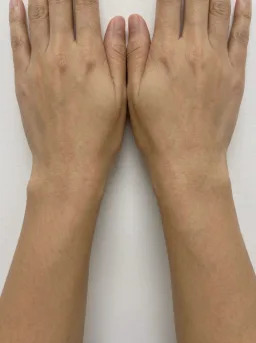
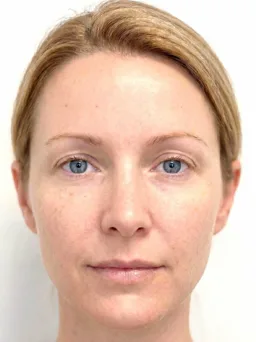
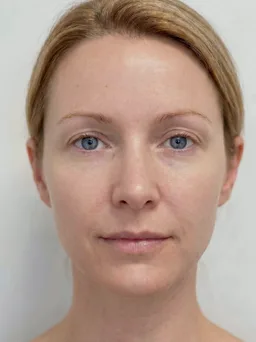
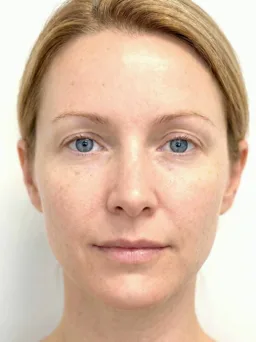
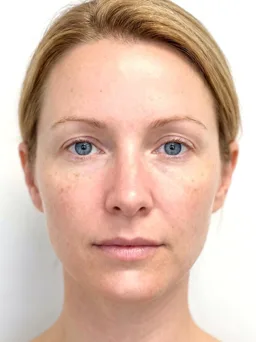
Precise before/after comparisons
for clinical documentation
Manual comparisons slow clinical workflows
General-purpose tools were not designed for the precision and consistency clinical documentation requires
Slow manual setup
Placing images side by side in document editors or presentation tools requires repetitive resizing, cropping, and alignment for every patient visit.
Inconsistent framing
Without standardized positioning, subtle treatment outcomes become difficult to identify. A poorly framed follow-up can even make an excellent result look worse than it is, undermining client confidence.
Settings lost between sessions
General-purpose tools do not retain the zoom, crop, or positioning configuration used in previous comparisons, requiring setup from scratch each time.
Comparison tools built for clinical precision
Purpose-built split and overlay views with automatic alignment, persistent configuration, and exports composed exactly as the moment needs
Part of a complete clinical imaging platform
Comparison tools are one part of the Dermi Atlas platform, which includes patient management, clinical notes, configurable exports, and more.
Purpose-built comparison interface
See how split and overlay comparison tools work in Dermi Atlas.
Image comparison groups
Organize chronological images into comparison groups with drag-and-drop ordering, numbered indicators, and persistent layout configuration.
Overlay layer management
Control visibility and opacity for each image layer independently with precision sliders for detailed before and after comparison.
Comparison features in detail
Explore the tools that make clinical image comparison efficient and reproducible
Split Comparisons
Place multiple images in flexible grid, vertical, or horizontal layouts with optional automatic alignment for precise feature-to-feature assessment.
Side-by-side comparison
Illustrative demo with synthetic data. Learn more
- Automatic alignment registers images for precise feature-to-feature comparisons
- Multiple layout options: grid view, vertical, or horizontal
- Dedicated View, Arrange, and Annotate modes keep gestures predictable
- Adjustable image ordering for optimal clinical presentation
- Side-by-side viewing of treatment progression
- Comparison captions for documentation context
- Export comparisons through Custom Export or one-tap Quick Export
- Undo and redo with smooth in-place restore
- All layout configurations persist automatically
Overlay Comparisons
Stack images with independent opacity and positioning controls, with optional automatic alignment for tracking subtle changes between visits.
Opacity blending
Illustrative demo with synthetic data. Learn more
- Independent opacity adjustment for each image layer
- Automatic alignment with precise positioning controls for feature registration
- Visual stacking order management
- Ideal for tracking subtle changes over time
- All adjustments persist automatically
- Export overlay comparisons through Custom Export or Quick Export
Persistent Annotations
Durable markup drawn directly on clinical photographs, anchored to the image and shared across the practice.
Draw on the image
Illustrative demo with synthetic data. Learn more
- Arrow, rectangle, ellipse, freehand, text, and pin tools with per-tool color and options
- Markup stays anchored through zoom, pan, alignment, and rotation on the single, split, and overlay views
- Saved with each image and synced across devices in real time
- A per-user visibility toggle remembers each clinician's preference
- PDF export options and annotated image downloads rendered at print quality
- Refined Apple Pencil and touch input keeps strokes precise while a palm rests on the screen
Live Pointer
The transient shared pointer for co-review: highlight an area while you talk it through, in the moment and without writing anything to the record.
Point at a comparison
Illustrative demo with synthetic data. Learn more
- Draw directly on images and comparisons to highlight areas of interest
- Strokes fade automatically within seconds, leaving records unmodified
- Designed for patient-facing presentations on shared screens and projectors
- Available in all viewing modes: single image, split, and overlay comparisons
- Compatible with touch and pointer input across all device types
- High-visibility red glow reads clearly on clinical imagery
- Pairs with persistent annotations when markup should outlast the session
Custom Export
Compose exactly the export you need, from documentation files to consult-ready images, without altering the clinical original.
Compose the frame
Illustrative demo with synthetic data. Learn more
- Export Options opens a full-screen live preview where what you see is exactly what is saved
- Framing presets for square, portrait, story, and wide formats, plus the original frame
- Light, dark, and gray themes with adjustable content scale
- Date labels as exact dates or elapsed time from baseline
- Practice logo placement with corner position and size presets
- Annotation visibility per export: as arranged, all shown, or all hidden
- Quick Export saves a screen-faithful image in one tap
- Formatted PDFs for entries, image pools, and patient records
- Exports strip camera metadata, and the underlying image is never altered
Capture on iPhone and iPad
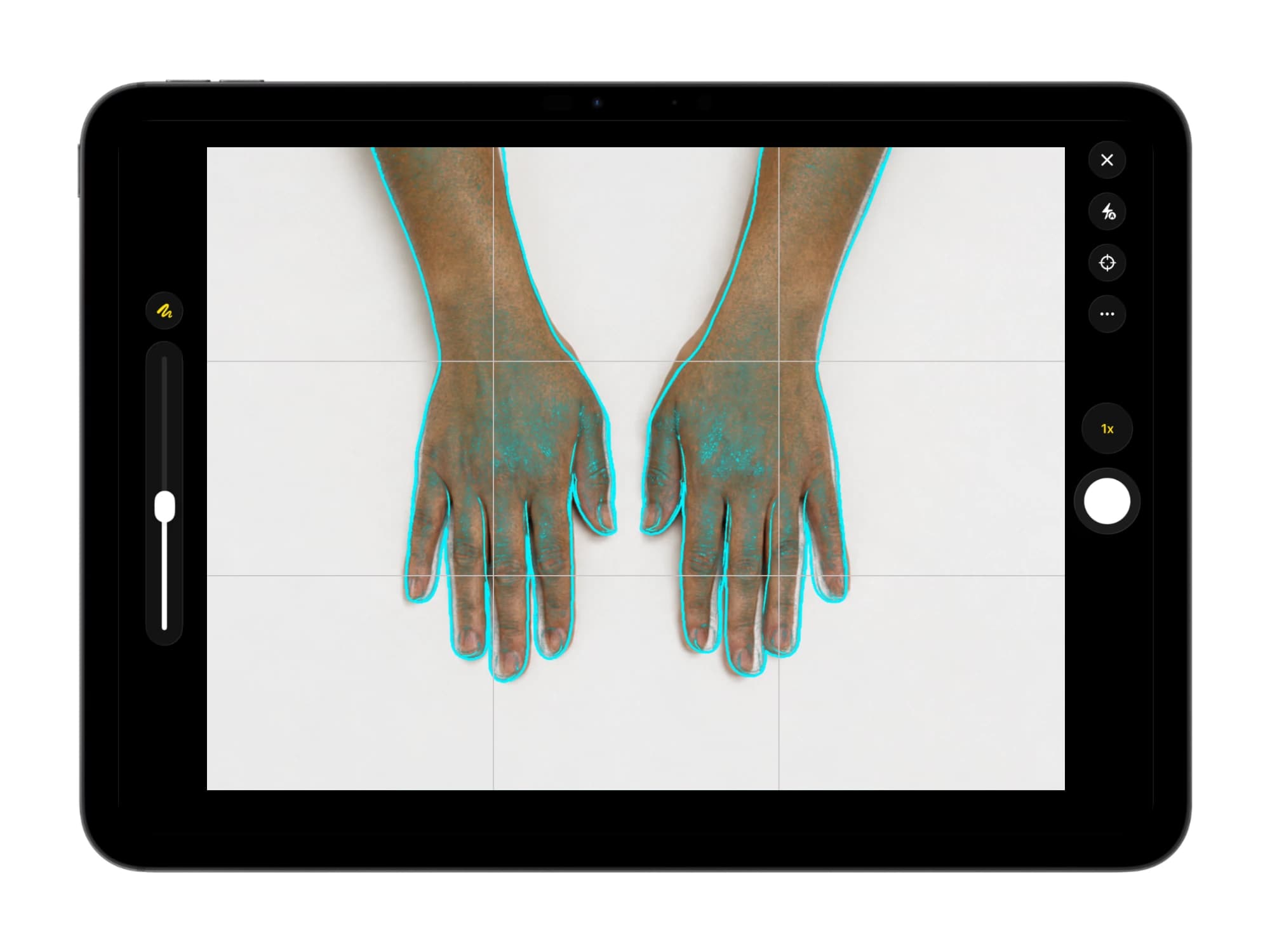
The free Atlas Companion app adds native, reference-aligned camera capture on the devices a team already uses, and sends each photograph straight to the patient record on your own server.
Reference-aligned capture
A live overlay of the prior photograph guides each follow-up into matching framing, so treatment progress is easy to follow visit by visit.
Straight to your server
Captured photographs are sent to the patient record on your own server over the local network, never to a third-party cloud or the device camera roll.
Native on iPhone and iPad
Capture with the native camera and continue in the full Atlas workspace on the same device, using hardware staff already carry.

Illustrative demo with synthetic data. Learn more
Common questions about comparisons
How split views, overlays, and automatic alignment work in Dermi Atlas
Dermi Atlas supports two primary comparison modes. Split comparisons display images in grid, vertical, or horizontal arrangements for side-by-side analysis. Overlay comparisons stack images with independent opacity controls for each layer, enabling detailed assessment of subtle changes. Both modes support automatic alignment.
Automatic alignment uses computer vision to match anatomical features across images and compute optimal spatial transformations. This replaces manual drag-and-position workflows, ensuring consistent framing regardless of minor differences in camera angle or patient positioning between visits.
All comparison configurations persist automatically. Image positioning, layout type, opacity levels, ordering, and alignment state are saved without manual intervention. Returning to a comparison restores the exact configuration from the previous session.
Comparisons can be exported as standalone images or included within formatted PDF reports. Quick Export saves the comparison exactly as it appears on screen in one tap, while Custom Export composes a framed, themed, practice-branded version in a live preview. Entry-level exports contain all comparisons, clinical notes, and tags in a letter-sized PDF suitable for printing, referrals, or EMR integration.
Alignment processing runs entirely on-premise through the Atlas Vision service container. No patient images are transmitted to external services. The feature operates fully within the local network after initial deployment.
Atlas treats before/after photography as clinical documentation first: comparisons and exports are designed for in-consult presentation and the patient record. Any public use of before/after images requires documented patient consent, and some jurisdictions restrict it further; in Australia, AHPRA and TGA rules limit public before/after imagery in cosmetic-injectable advertising. Standardized, consent-tracked records ensure the practice can support whichever uses local rules allow.
All comparison tools, including split and overlay views and automatic alignment, are included in Dermi Atlas Professional at a flat $50 USD per month per system license, with the first 30 days free. There are no per-image fees or add-on modules, and standardized capture with the Atlas Companion app is free on the App Store.
Need more details?
Our support team can answer specific questions about comparison features and clinical workflows.
Start documenting results this week
Split views, overlay modes, and automatic alignment, all for a flat $50 USD per month with the first 30 days free. Setup is done for you at no charge.
Resources and further reading
Documentation and articles about comparison tools in Dermi Atlas
Related capabilities
Try Dermi Atlas today
Start with Dermi Atlas Cloud for free, or run Dermi Atlas Professional in your practice for a flat $50 USD per month, first 30 days free.
Dermi Atlas Cloud Demo
No time limit
Explore Dermi Atlas features instantly in your browser with our hosted demo environment. Free forever, no commitment required.
- Launch instantly in your browser
- Upload and test with your own sample data
- Access core features and workflows
- No credit card or signup required
Dermi Atlas Professional
Flat, per license · First 30 days free · Cancel anytime
Runs on the computers your practice already has, with complete feature access, real patient data support, and dedicated technical support. Photos stay in your practice.
- Full 30 days of unrestricted access
- No new hardware: runs on your existing server or workstation
- Use with real patient data securely
- Multiple users per system license
- Setup done for you at no charge, with technical support included
Need help choosing?
Learn more about Atlas Professional features, explore Atlas Manager for deployment and infrastructure management, or speak with our team about your practice needs
Purpose-built for med spas, aesthetic clinics, plastic surgery, and dermatology practices · HIPAA, PIPEDA & Australian Privacy Act compliance-ready architecture · Complete data sovereignty
Synthetic Data Notice
All demonstrations, screenshots, and media on this page use synthetic data only. No real patient information is shown.
The following are synthetic and do not correspond to real patients:
- All human faces and individuals are synthetic and do not represent real people
- All clinical and medical images, including photographs and scans, are synthetic or simulated
- All patient names, dates, identifiers, and other details are fictional
- All clinical notes and documentation are sample content for demonstration only
Media is provided solely to illustrate platform functionality and workflows.